What exactly does the law require?
The rule is in Section 13 of the German Price Indication Ordinance (PAngV). It applies to anyone offering food or drink and gives three ways to present the price list.
| Route under Section 13(2) | What it looks like |
|---|---|
| Displayed legibly | A board or menu on the wall that can be read from the seat or at the counter. |
| Laid out on the tables | A printed menu sits at each place. |
| Handed over before ordering | Staff give each guest the menu, and also at billing if asked. |
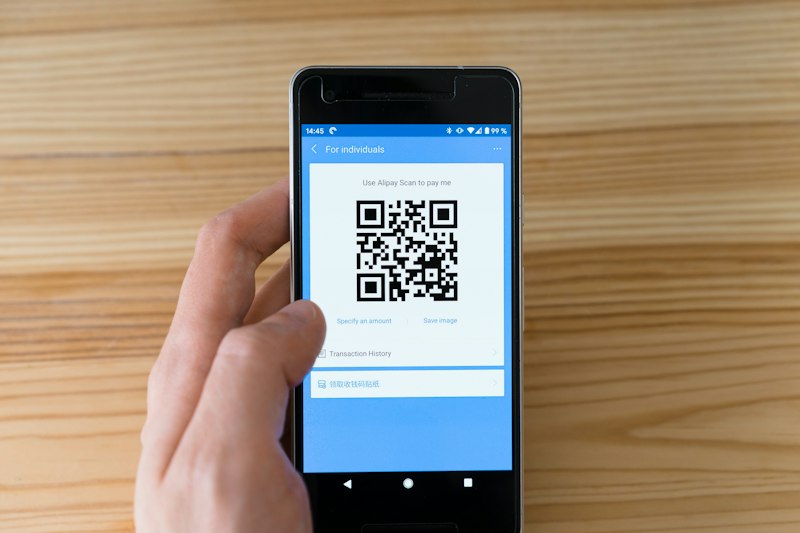
A QR code isn't on that list. We found no ruling or official statement on QR-only menus. So the text doesn't ban one, and it doesn't allow one either. Relying on the code alone leaves you carrying that risk. The local chamber of commerce (IHK) can tell you how your authority sees it.
What has to hang by the entrance?
A price list of the main dishes and drinks, right next to the entrance. Section 13(2) requires this on top. If the restaurant is part of a larger business, the entrance to the food area is enough. Under paragraph 5, all prices must include service charges and any other surcharges.
A QR code by the door isn't a safe substitute. Put up a short printed list of your main dishes and drinks. If you only sell coffee and cake, a few lines will do.
Why can allergens be digital when prices maybe can't?
Because allergens have a rule of their own. Section 4 of the German food information ordinance (LMIDV) expressly allows electronic information, if it's directly and easily accessible and a notice in the outlet or on the food says how to find it. Prices have no such sentence. For more, see our articles on allergens on the menu and on what must be on a menu in Germany.
What should you do in practice?
- Put up the short price list at the entrance.
- Offer the digital menu at the table, by QR code or NFC sticker.
- Keep printed menus ready for anyone who doesn't want the digital one, and have your team offer them without being asked.
It costs a few printouts a month and takes the risk away. And guests who don't want to scan aren't left sitting there wondering what to do.
How do you keep the paper and digital menus the same?
Most easily with a fixed order: digital first, then paper. In the NFCeez menu you change a price in the app and publish, and the next guest at the table sees it. When a dish runs out, you mark it as unavailable. Allergens sit on each dish, and guests open the menu with no app from an NFC sticker or QR code. The limit: NFCeez doesn't make your printed menu or the list by the entrance. You still print those yourself and check them after every price change.
What do you do today?
Your next step: walk to your door today, see what's hanging there, and print ten menus for the counter.
How NFCeez does thisChange it digitally first, then update the paper.You change a price in the app, and the next guest at the table sees it. The printed menu for the counter and the entrance is still yours to keep up to date.See how it works