
The stamp card nobody loses.
Your stamp card sits in your guests’ Wallet, right next to their tickets and boarding passes. No paper, no app, and you see who comes back.
- In the WalletApple Wallet and Google Wallet. Your guests install nothing.
- Sign-up by codeOne code by email is enough. No password, no account.
- Stamps by scanYou scan the card in the app and confirm the stamp.
- Your designYou set colours, symbol, logo and texts, plus up to three rewards.
In within a minute.
Through the “Stamp card” button on your Smart Page, the sign-up link or the QR code at the counter.
Guests delete their card themselves at any time. Cards unused for 24 months are deleted automatically.
Designed once. Yours for good.
Nine styles, five stamp symbols, your colours and your logo. The card starts from your Smart Page’s brand colour and looks the same in Apple Wallet, Google Wallet and on the web.
Plus your own texts: the name, a note on the front, a welcome and conditions on the back, and the message when a stamp arrives.
One scan. One stamp.
Your team scans the guest’s QR code in the NFCeez Business app, chooses how many stamps the purchase earns and confirms. Service has its own shift screen for it.
Your team scans.
The stamp lands.

Your guest sees it instantly.
When a reward is reached, it’s ready. Redeeming is its own, confirmed step.
One card. Up to three rewards.
Your card runs for good. Up to three rewards sit on one card, each at its own stamp. After the last one it simply starts again, and nobody signs up twice.
Boosts on top.
Short pushes that never change the card itself. Plus offers on the Wallet card.
Double stamps.
On the days you choose, every visit counts twice. Good for your quietest day.
Welcome stamps.
New guests get extra stamps on their first visit and reach their first reward sooner.
Comeback stamps.
Anyone who hasn’t been in for 30 days gets extra stamps on their next visit.
Offers in the Wallet.
An offer can appear on the Wallet card: only for guests who agreed, at most once a week and only on days you’re open.
The app makes suggestions.
It suggests the right Boost from your numbers and shows you afterwards what it brought.
Fair and safe. From the start.
Stamps stay.
If you change rewards or design, every stamp collected stays.
Everything logged.
Every stamp and every redemption is logged with time and team member. A limit against misuse is built in.
No end date.
The card runs for good. Your guests sign up once and keep it.
Your own terms.
Each business publishes its own terms and privacy notice for the card, created by NFCeez from what the system really does.
Nothing gets lost.
Extra stamps count towards the next reward. Several rewards can wait side by side.
For every place guests come back to.



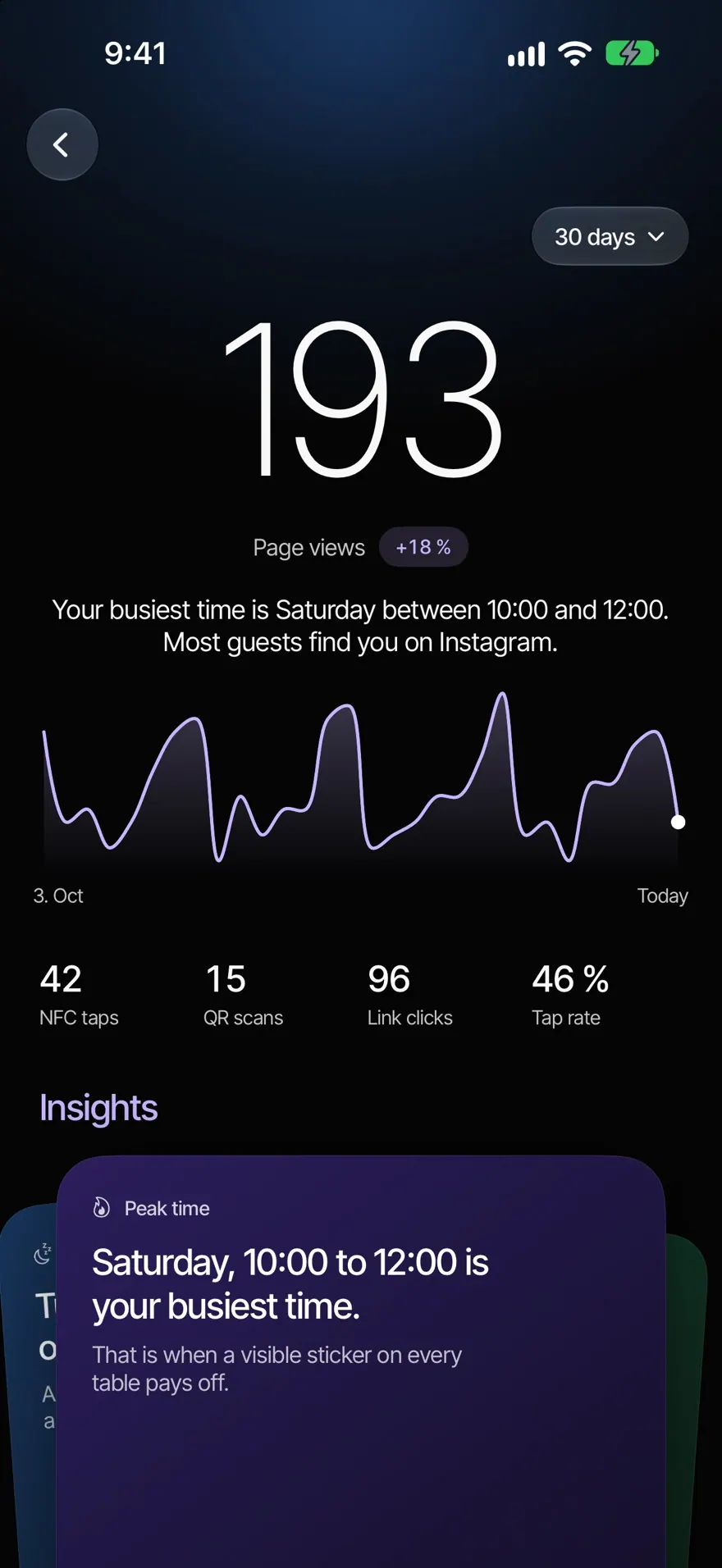
See who comes back.
Statistics answer three questions: Are they coming back? Who’s almost there? What now? Plus a short AI summary in plain words.
The summary never guesses money or revenue. Sample figures of an invented café.
Your next regular is already here.
Coming soon to the App Store and Google PlayQuestions about the stamp card.
Your question isn’t here? Write to us, we answer personally.
Write to us-
No. The card lives in Apple Wallet, Google Wallet or the browser.
-
Through the “Stamp card” button on your Smart Page, the sign-up link or the QR code at the counter. Signing up takes about a minute.
-
Yes. You can change rewards and design at any time. Every stamp collected stays.
-
No. The card runs for good. After the last reward it starts again.
-
Short pushes on the card: double stamps on days you choose, extra stamps on the first visit and extra stamps for guests who haven’t been in for 30 days.
-
No. For the card, each business publishes its own terms and privacy notice, created by NFCeez from what the system really does.
Goes well with.
All features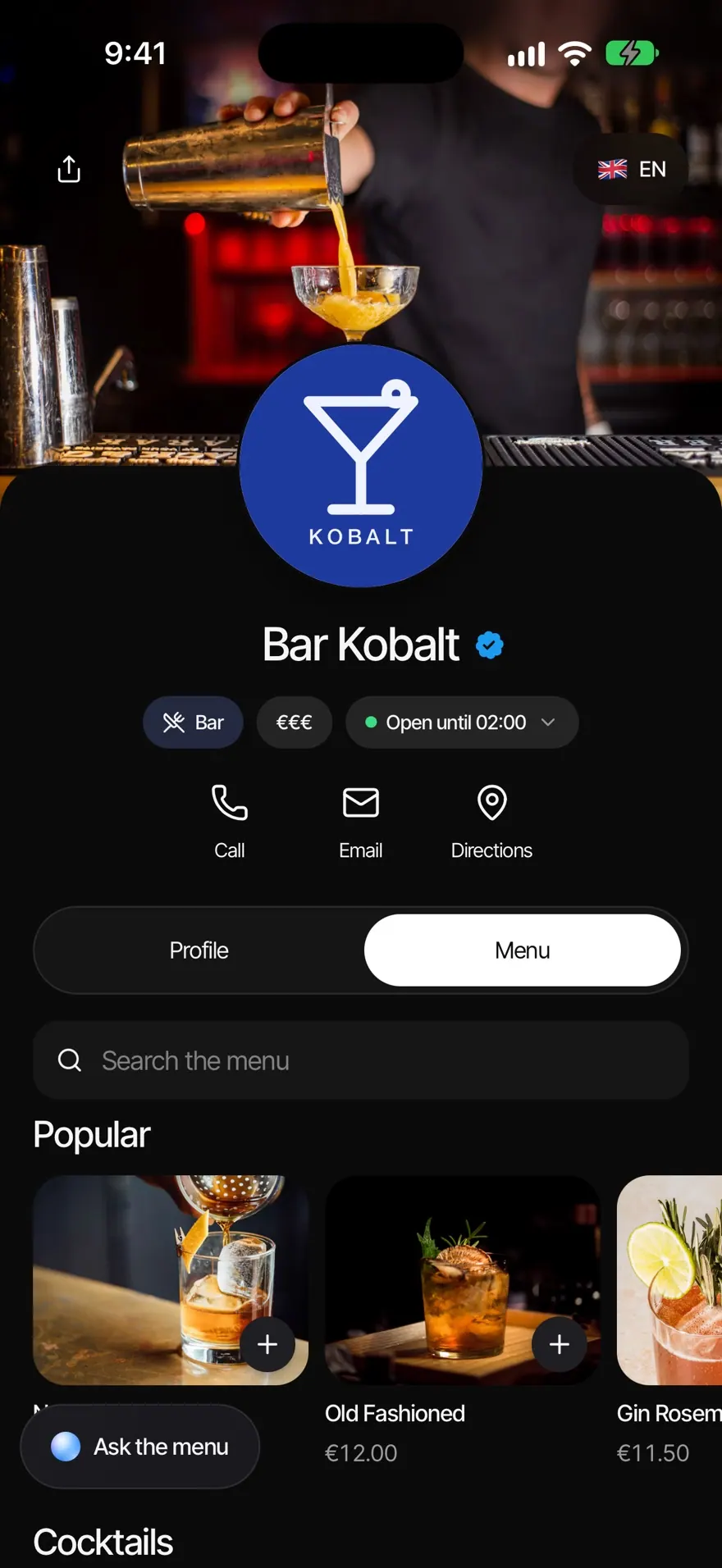
Related.
All articles
Which loyalty card is best for your café in 2027?
Paper, Wallet card, own app or till add-on: what each one does, who it fits and what to ask before you sign.

Few guests on weekdays: which ideas really help on quiet days?
Twelve ideas with what each one needs and the risk, plus a worked example and a test sheet so you don't fool yourself.

What does GDPR mean for a café or restaurant loyalty programme?
What needs no consent, what does, and how to build a sign-up form that holds up. Written for Germany, with the EU rules behind it.